AI home exterior design from one photo of your house
Eighteen architectural styles and seven cladding materials on your own facade, with the roofline, the windows and the doors exactly where the builder left them.
What AI exterior design can change from the curb
The point of an exterior render is settling an argument about siding or paint before a quote is signed. That only works if the house in the picture is unmistakably yours.
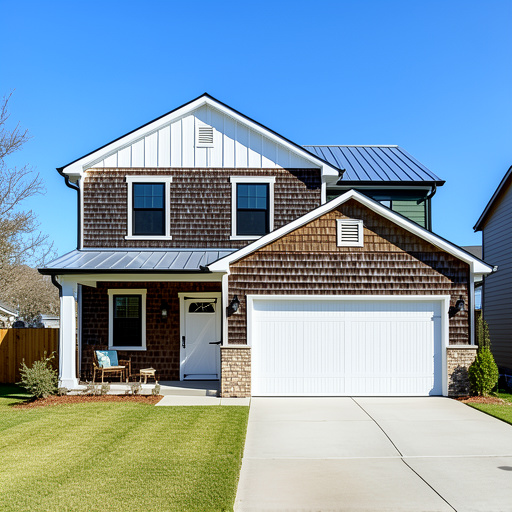
Eight styles on your own facade
Modern, Farmhouse, Mediterranean, Colonial, Craftsman, Victorian, Ranch and Contemporary, applied to eight home types from a single-family house to a bungalow, duplex, cottage or cabin. Set the house angle first (front, side, back, street view or aerial) so the render is judged against the view you actually photographed.
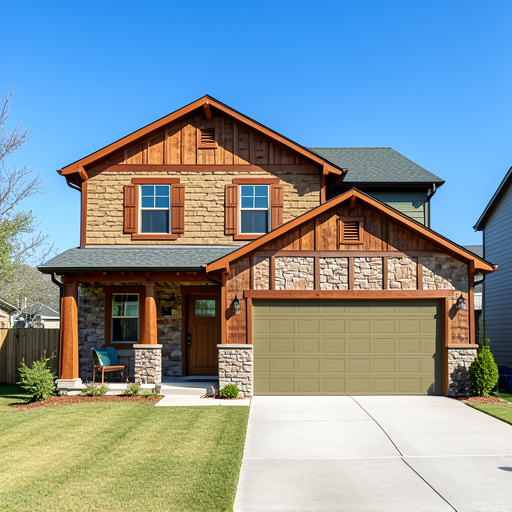
Seven cladding materials, one unchanged silhouette
Brick, wood siding, board and batten, stucco, natural stone, fiber cement, or render and timber. The building footprint, roofline, boundary lines, level changes, paths and paved edges and the position of every window and door are all fixed before anything is restyled. Set the season and the time of day, from morning through golden hour to night, to match the light your street actually gets.
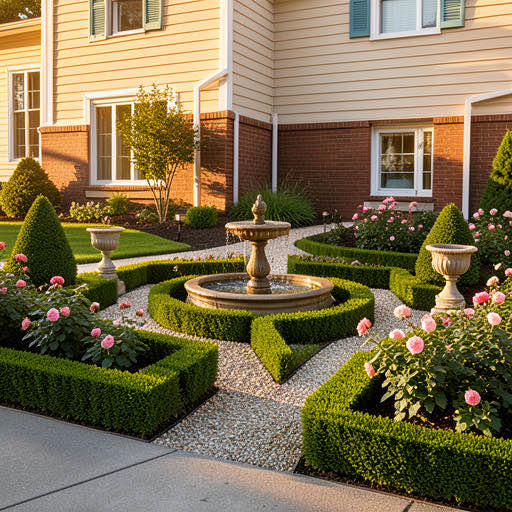
Front yard, backyard and planting in the same place
One selector moves the workspace between Home Exterior Design, AI Backyard Design, Garden Design and Landscape Design. Gardens add their own controls for planting (low maintenance, drought tolerant, flowering, edible) and hardscape, from stone paving and timber deck to gravel or brick paviors.
How do I redesign my house exterior with AI?
Photograph the house
A straight-on shot of the front, side, back or street view. Daylight and a clear view of the facade matter more than the camera.
Set the style and the finish
Choose one of eight styles, then set cladding material, house angle, season and time of day so the render matches your street.
Generate and compare
The new exterior comes back in seconds. Try a second style, or switch the selector to the backyard and garden tools.
Frequently asked questions
Will AI change the shape of my house?
No. Every exterior render is sent as an edit of your photograph with the building footprint and roofline, the position of every window and door, the boundary lines, the level changes, the paths and paved edges and the camera angle all declared unchanged. Cladding, paint, materials and planting are the only things allowed to move.
Which exterior styles and materials can I try?
Eight styles: Modern, Farmhouse, Mediterranean, Colonial, Craftsman, Victorian, Ranch and Contemporary, across eight home types. Seven cladding materials: brick, wood siding, board and batten, stucco, natural stone, fiber cement, and render and timber. Season and time of day are set separately, so you can see the same paint colour at midday and at dusk.
Can I do the backyard and the garden as well?
Yes. The same selector opens AI Backyard Design, Garden Design and Landscape Design, each with its own planting and hardscape controls, across nine outdoor space types including a patio, courtyard, rooftop, deck and pool area.
What does it cost?
One exterior render costs one credit, so a free account gets 3 of them with no credit card. After that, 30 credits are $9.99 and never expire, or the Starter plan is $19.99 a month for 200 renders.
Does it estimate the cost of the work or find me a contractor?
No. It produces a photorealistic preview of your exterior in a new style and nothing beyond that: no cost estimate, no contractor matching, no permit help and no 3D model. Take the render to a contractor and get the quote from them.
Settle the siding argument before the quote is signed
One photo of the front of the house, eight styles, seven materials. Three free renders and no card.
Design my exterior free